使用gemini生成出來的jsx檔案,在Gemini中可以使用,但要如何部屬它呢? 以下幾個簡單的流程。
若沒有安裝NodeJS,先到以下網址安裝
找一個空白目錄,開啟CMD(在路徑列點一下,鍵盤輸入CMD後,按下ENTER)
1. 建立 Vite 專案 (專案名稱叫 ollstore-web)
npm create vite@latest ollstore-web -- --template react
ollstore-web可以改成任意你想要的字。
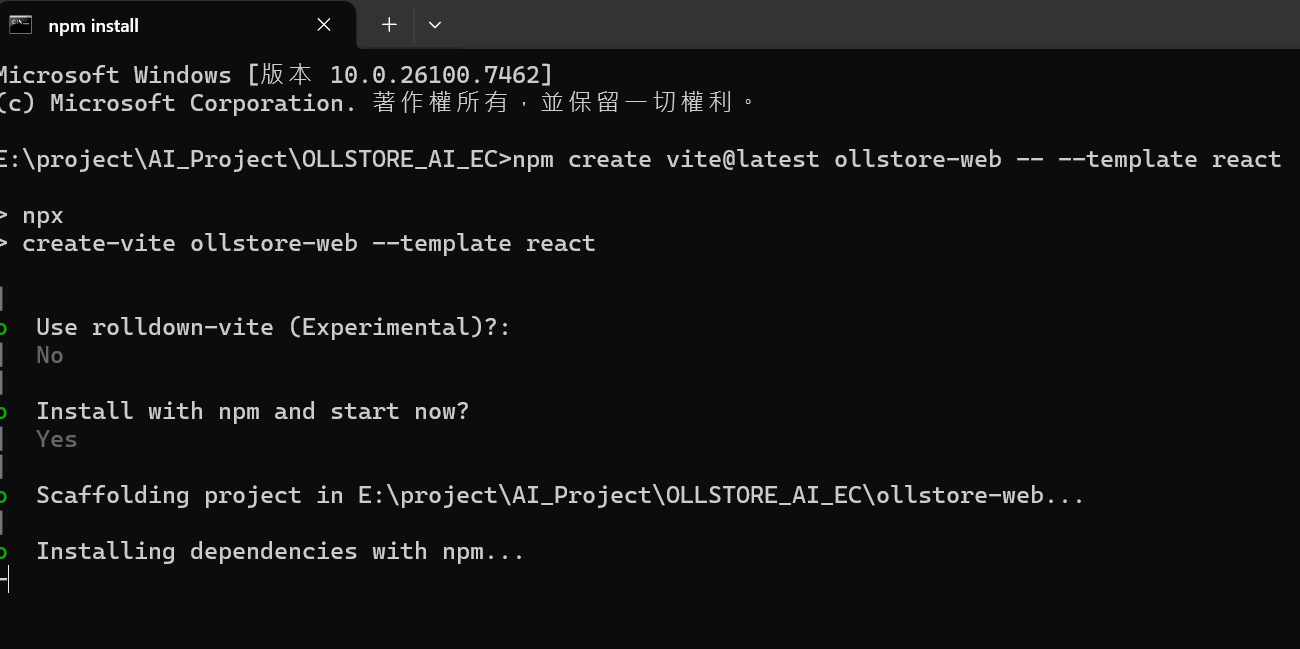
接下來按照圖中的選項選擇。
Use rolldown-vite : No (選Yes也行就打包的工具不同而已)
Install with npm and start now : Yes (會自動安裝npm套件以及啟動專案,看需求)
選N的話,要手動進入目錄
cd ollstore-web
然後下指令,安裝基礎依賴套件
npm install
但一般來說gemini 生成的頁面都會使用tailwind CSS 跟 lucide-react圖標庫,因此我們還需要安裝
# 安裝 Tailwind CSS
npm install -D tailwindcss postcss autoprefixer
npm install @tailwindcss/postcss
# 安裝圖標庫
npm install lucide-react
建立tailwind.config.js檔案
/** @type {import('tailwindcss').Config} */
export default {
content: [
"./index.html",
"./src/**/*.{js,ts,jsx,tsx}",
],
theme: {
extend: {},
},
plugins: [],
}
建立postcss.config.js
export default {
plugins: {
'@tailwindcss/postcss': {},
autoprefixer: {},
},
}
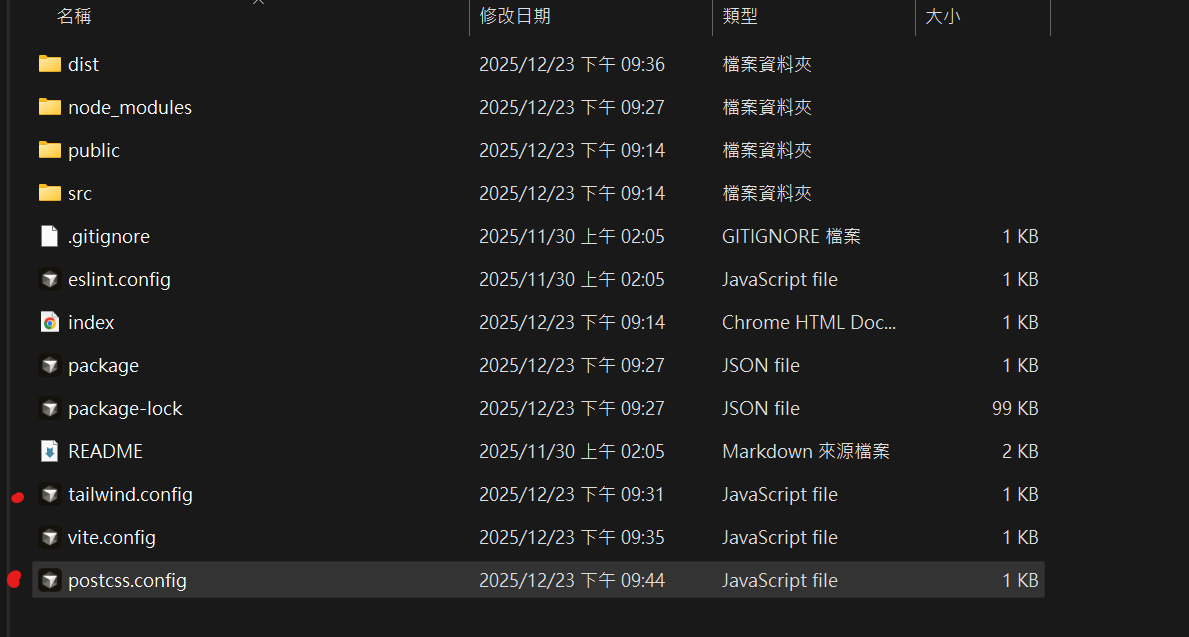
打開 src/index.css 替換內容(注意使用的是tailwindcss 4)
@import "tailwindcss";
打開src/App.jsx,將gemini生成的react jsx內容貼上去
修改vite.config.js
import { defineConfig } from 'vite'
import react from '@vitejs/plugin-react'
// https://vitejs.dev/config/
export default defineConfig({
plugins: [react()],
// 關鍵設定:
// 預設是 '/' (絕對路徑),會導致 file:// 協議找不到檔案
// 改成 './' (相對路徑),讓 HTML 能找到同目錄下的 assets 資料夾
base: './',
})
打包編譯(打包完成會產生一個dist資料夾,但這個資料夾的index.html是沒法直接打開預覽的,得放在支援html的服務器上)
npm run build
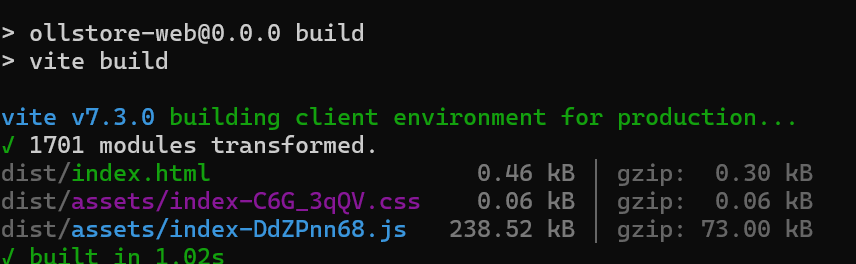
要預覽可以輸入
npm run preview
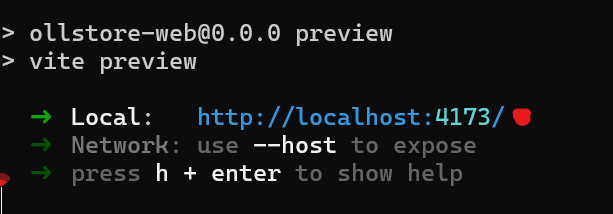
雖然也可以問AI,但是它給的版本流程可能會不對,得問好多次才能解決。
文章轉載或引用,請先告知並保留原文出處與連結!!(單純分享或非營利的只需保留原文出處,不用告知)
原文連結:
https://blog.aidec.tw/post/gemini-react-jsx-html
若有業務合作需求,可寫信至: [email protected]
創業、網站經營相關內容未來將發布在 小易創業筆記