上一篇角色提示詞生成器比較適合一般AI生圖例如使用comfyUI, 這個版本的則是適合Nano Banana的,可以指定細項,風格、性別、人種
到臉部的表情、眼睛、身體姿勢、特徵、妝容、髮型、頭髮長短、服裝、環境。
以及使用的相機、焦距.... 通通可以設定。
底下有小密技:Nano Banana 在AI Studio去除水印的方法,記得看到最後。
![FireShot Capture 063 - AI 人物提示詞生成器 - by Aidec - [].png](/uploads/image/20251009/1759984736803692.png "1759984736803692.png")
工具網址:
生成的範例提示詞:
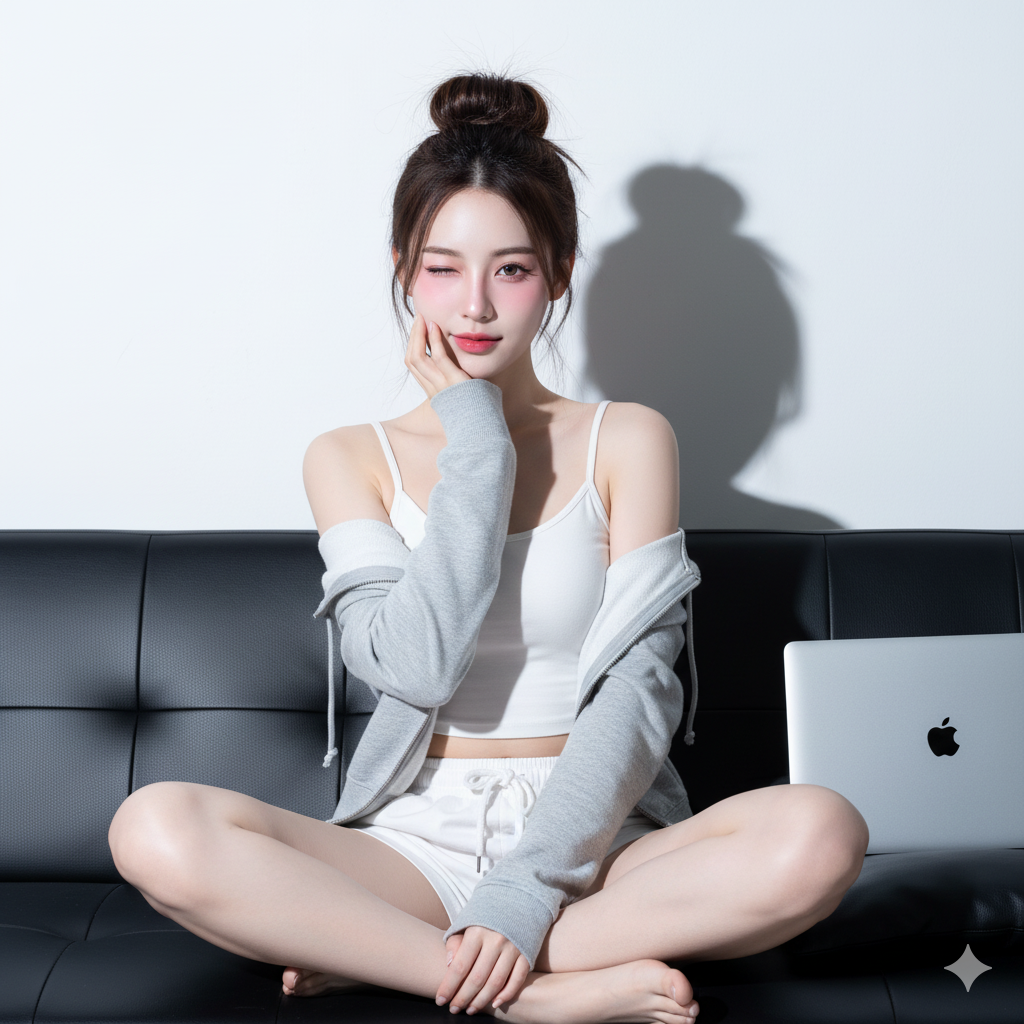
High-key studio portrait, direct flash aesthetic, East Asian social media style (e.g., Ulzzang, Douyin), stylized beauty retouching, human, female, East Asian (e.g., Korean, Chinese), young_adult, slender, natural human proportions, seated, legs crossed and tucked close to body, right hand raised, fingers loosely curled, knuckles gently supporting chin and lower cheek, playful, charming, right eye direct to camera, winking with the left eye, head tilt 5 degrees, very pale porcelain (whitening effect), small beauty mark/mole below the left eye, Stylized K-Beauty/Douyin look: flawless matte base, strong pink blush, gradient lips, defined brows, emphasized Aegyo-sal, long hair, messy high bun/top knot with some loose strands and wispy bangs, dark brown, white fitted cropped camisole tank top, light grey zip-up hoodie, worn open, slightly slipping off shoulders, white drawstring lounge shorts, barefoot, studio or minimalist interior, on a black leather sofa, against a plain white wall, silver laptop (Apple MacBook, logo visible) placed on cushion to subject's right, strobe/flash, near camera axis, slightly camera right and above eye-level, sharp, deep, defined shadow on wall behind subject; strong specular highlights on skin and leather, very little/none, suppressed, 5800K, digital camera, full-frame equivalent, prime lens, 16mm, f/1.2, ISO 50, bright exposure, high-key aesthetic, near eyes (right eye), moderate, vertical, from mid-thigh to head, with space above hair, eye-level, subject centered, Bright, clean, slightly cool tone, high contrast, moderate, emphasizing pinks, high, Highly smoothed skin, poreless appearance ('porcelain doll' or 'beauty filter' effect), selective sharpening on eyes/lashes, fully removed, all blemishes and texture, --no extra or fused fingers, text or watermarks
生成出來的圖:
Nano Banana 在AI Studio去除水印的方法
具體操作步驟:
1.開啟AI Studio,然後在頁面空白處右鍵,點選檢查(Inspect),在開啟的Dev Tool介面,點選網路(Network)標籤頁

2.先用nano banana產生一次圖片,這時候產生的圖片是帶有浮水印的。

3.在已開啟的網路(Network)標籤頁下的搜尋框裡,輸入watermark,能找出watermark_v4.png,右鍵,點選封鎖請求URL(block request URL)
將它設為blcok,這樣顯示的圖片就是沒有水印的了


之後再生成,就一直是無水印的了。原來AI Studio生成的圖,水印是後加的!
文章轉載或引用,請先告知並保留原文出處與連結!!(單純分享或非營利的只需保留原文出處,不用告知)
原文連結:
https://blog.aidec.tw/post/ai-character-prompt-generator-nano-banana
若有業務合作需求,可寫信至: [email protected]
創業、網站經營相關內容未來將發布在 小易創業筆記